
target
other projects
Find my cart
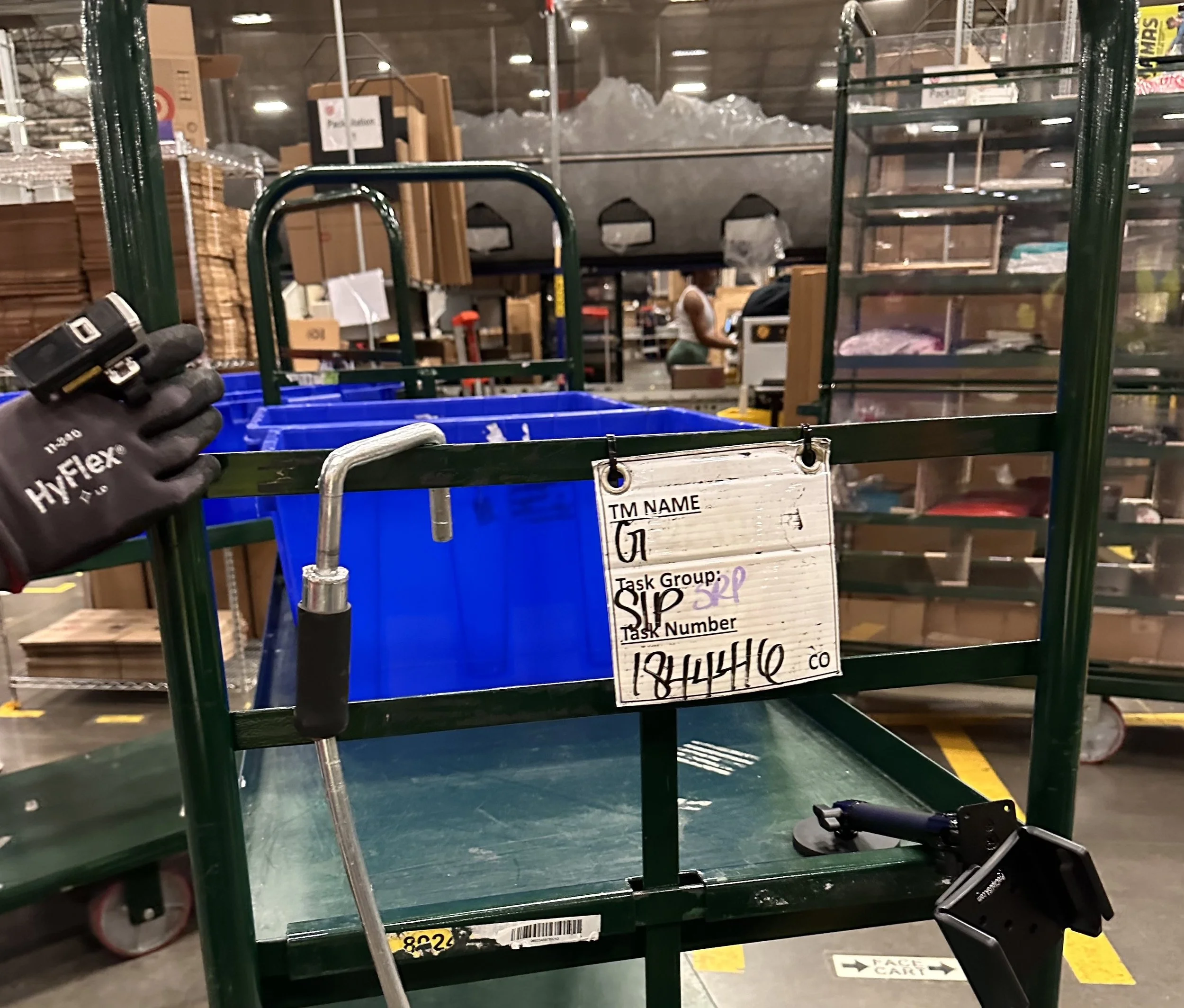
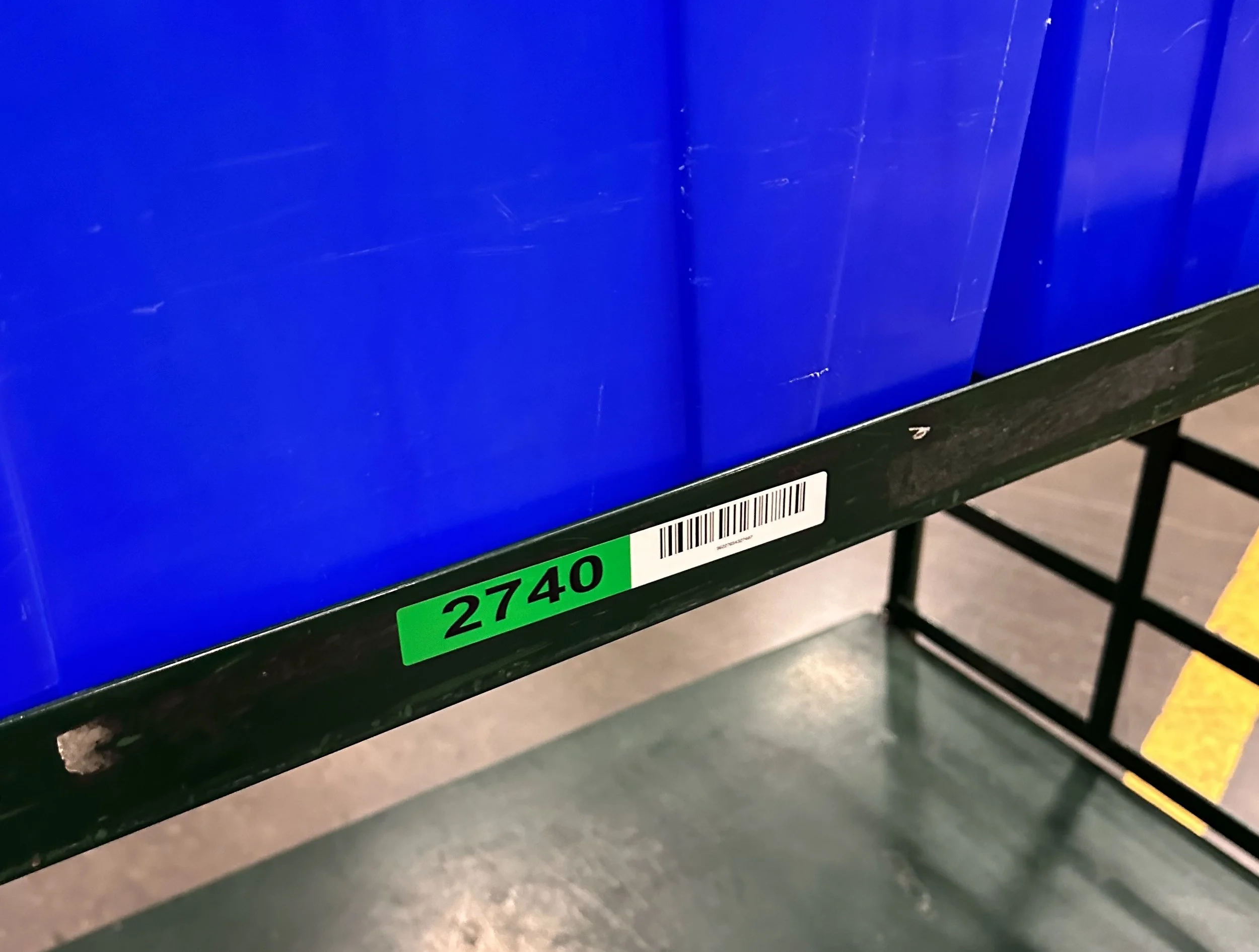
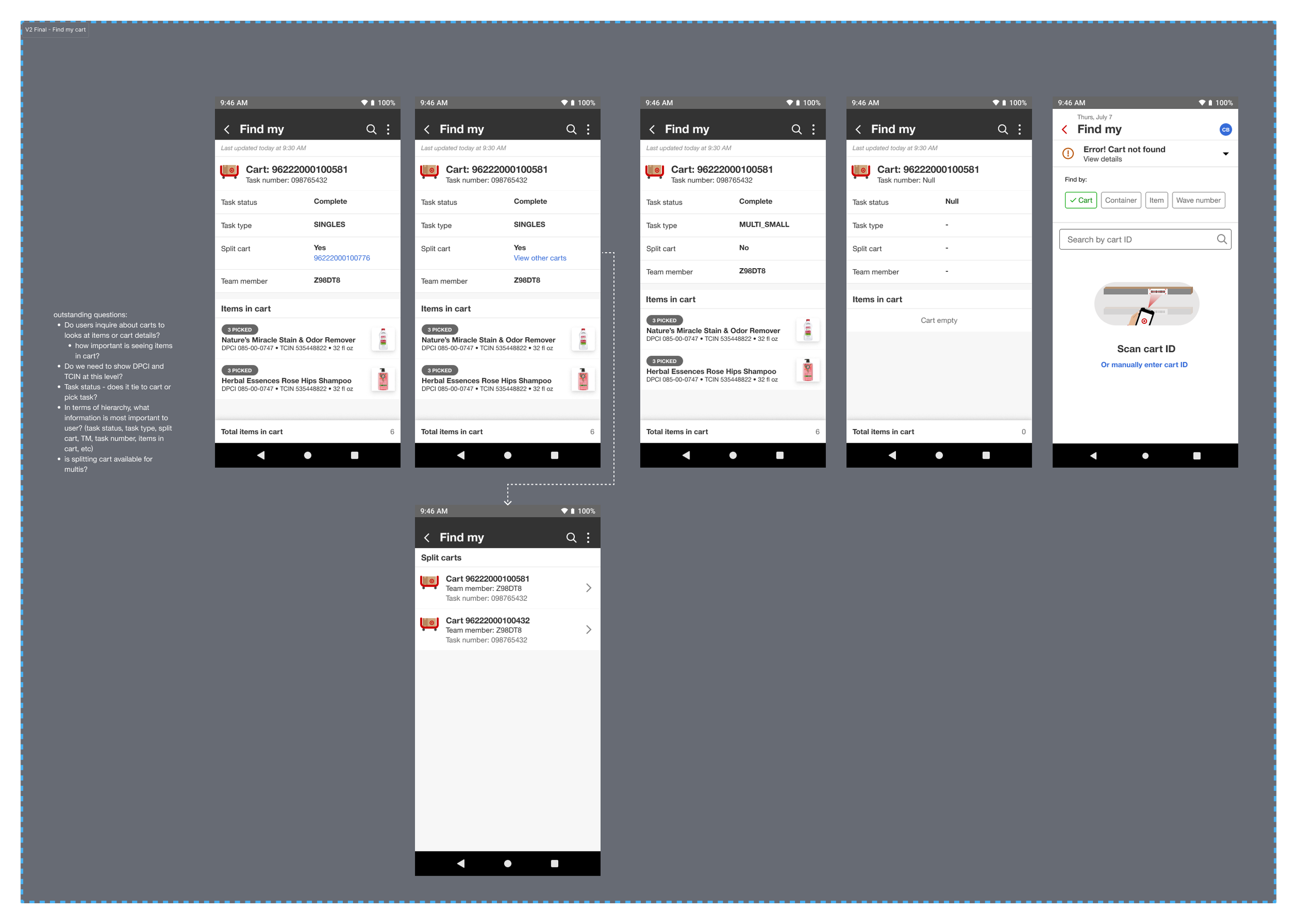
Find My Cart emerged directly from insights gathered during our on-site Pick pilot. While speaking with shift leaders, we learned that there was no efficient way to scan a Pick cart and view its details on a handheld device. Instead, teams relied on handwritten notes on whiteboards mounted to carts—an approach that was difficult to maintain and scale.
In response, the team and I quickly moved into ideation and design. We focused on clear information hierarchy and designed views that surfaced key cart details, including assignment, active status, associated orders, items in the cart, related carts for the same order, and completion status.
The resulting flow was seamlessly integrated into Maestro’s existing Find My experience, allowing team members to access cart details within a familiar workflow.
Serial barcode scan
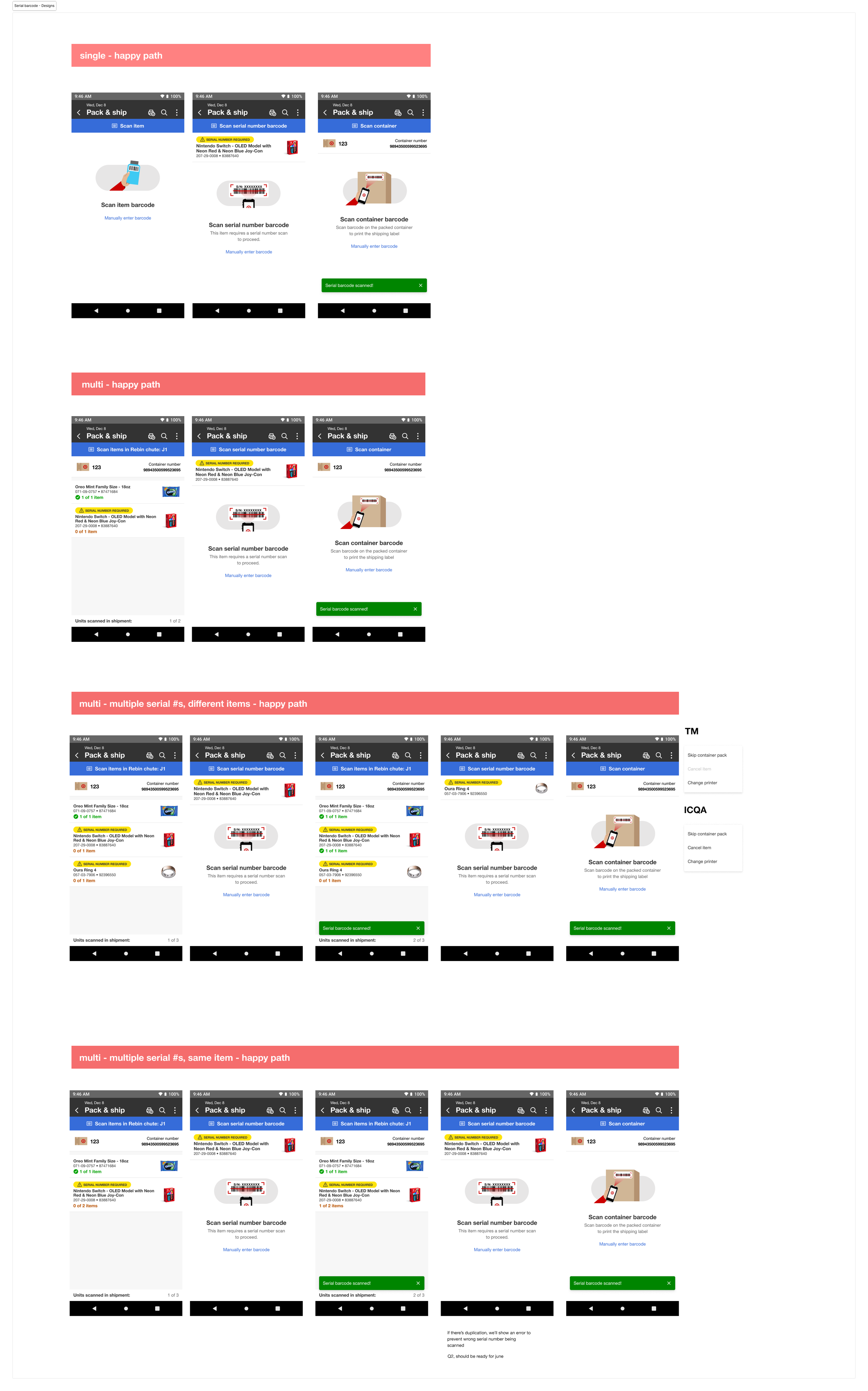
Serial Barcode Scan is a new workflow introduced within the Fulfillment Pack space, which is responsible for packing guest orders prior to shipment. While team members already scanned items during packing, there was previously no way to track high-value items with serial numbers once they were placed in a package.
I partnered with the product team, backend engineering, and cross-functional partners to define a scalable solution. My goal was to build on workflows team members were already familiar with while adding clear safeguards for high-value items. The resulting experience introduced visual tags to flag serial-tracked items, product imagery, item detail banners to increase confidence, and a dedicated serial-number scanning step.
The workflow was designed to support both Singles and Multis Pack, ensuring consistency across packing scenarios while improving traceability and reducing risk.
dynamic door
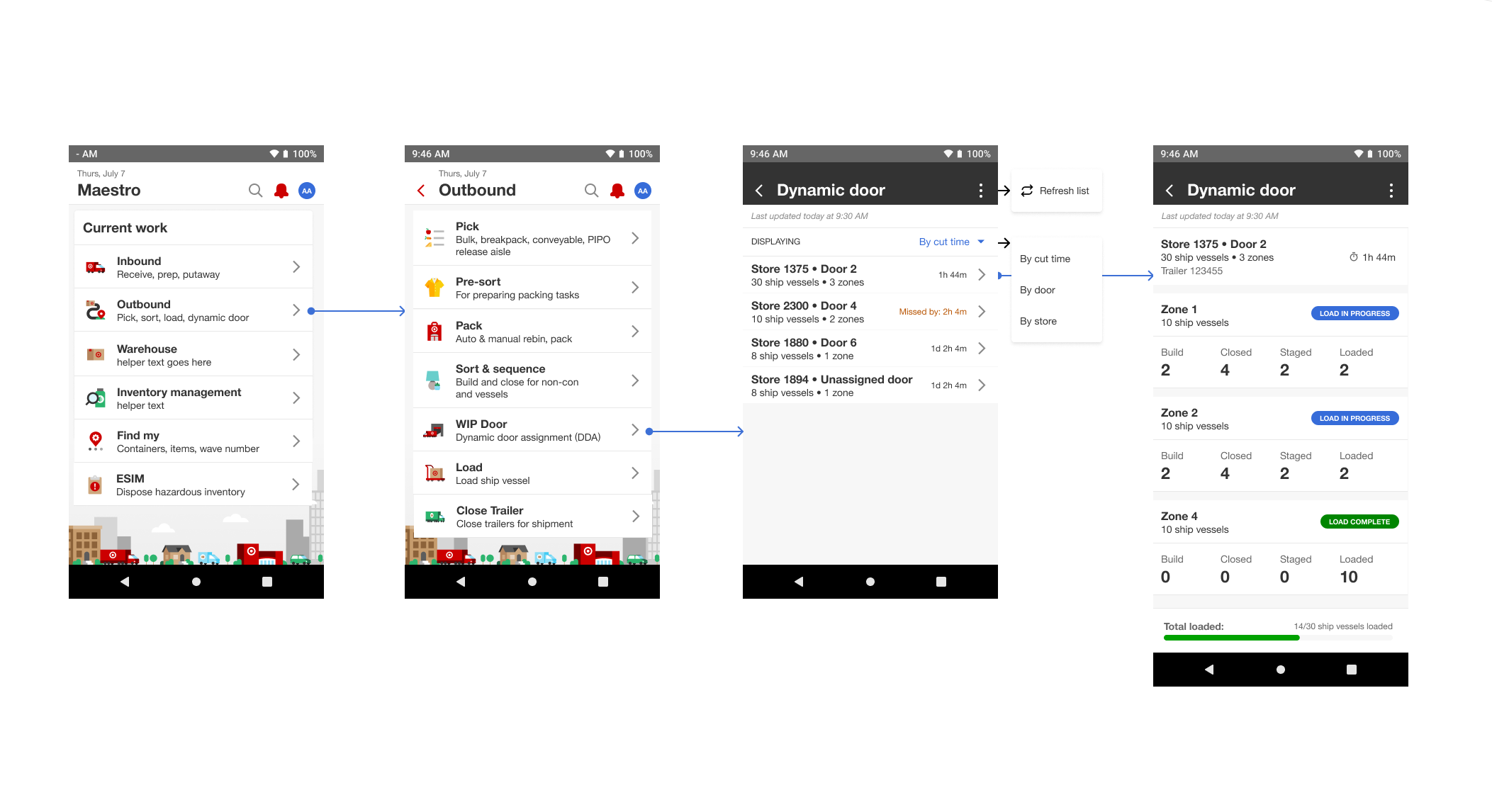
Many Target flow centers currently lack the visibility needed to effectively manage outbound shipping lanes and make informed operational decisions. Because most flow centers have more stores than outbound doors, teams must rotate doors during outbound trailer loading—resulting in dynamically assigned outbound doors with strict store cut times for loading.
Dynamic Door Assignment is a section within Maestro that provides this visibility. It functions as an operational report, allowing team members to track outbound doors, monitor store cut times, and stay aligned with live shipment activity.
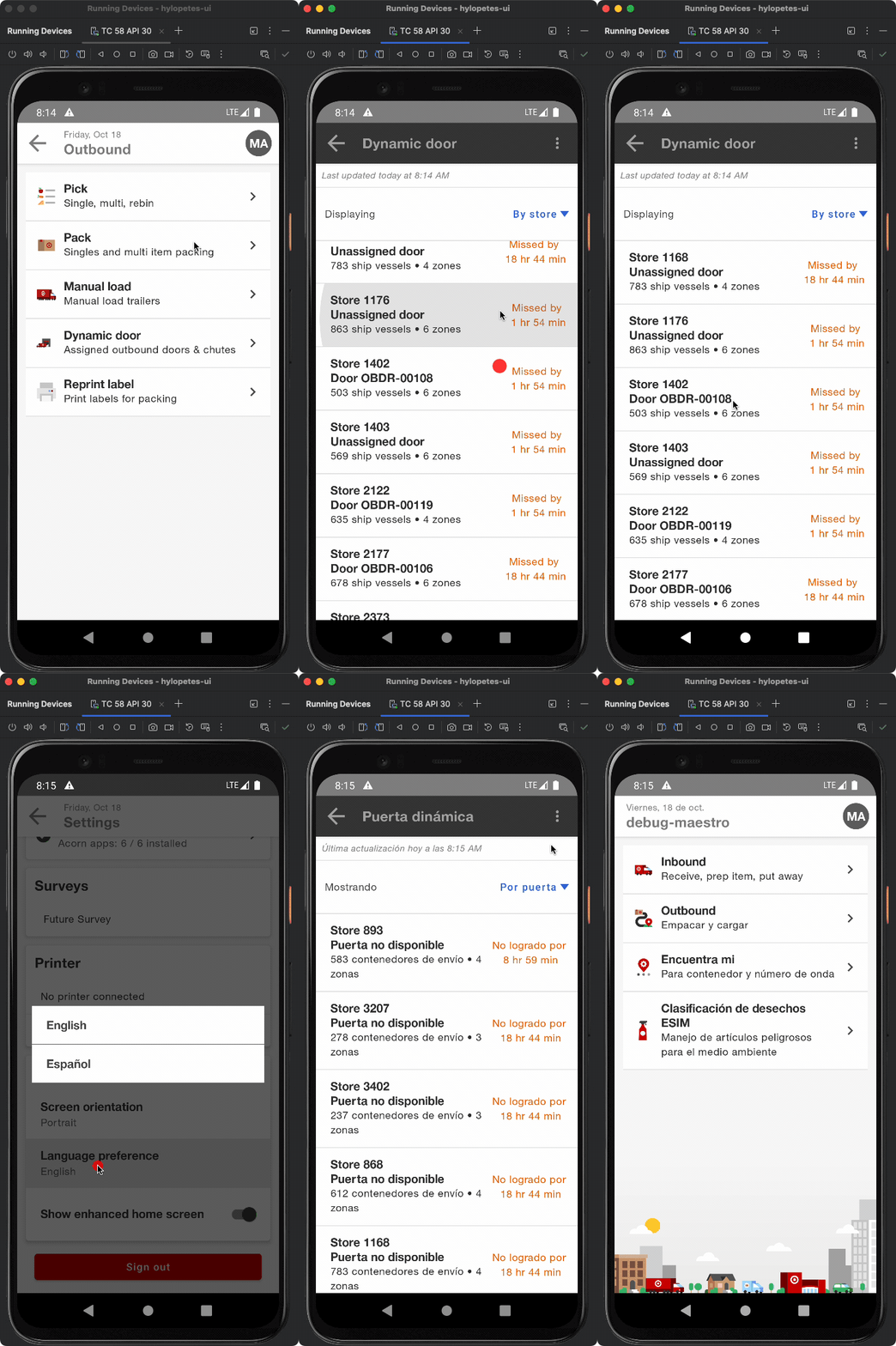
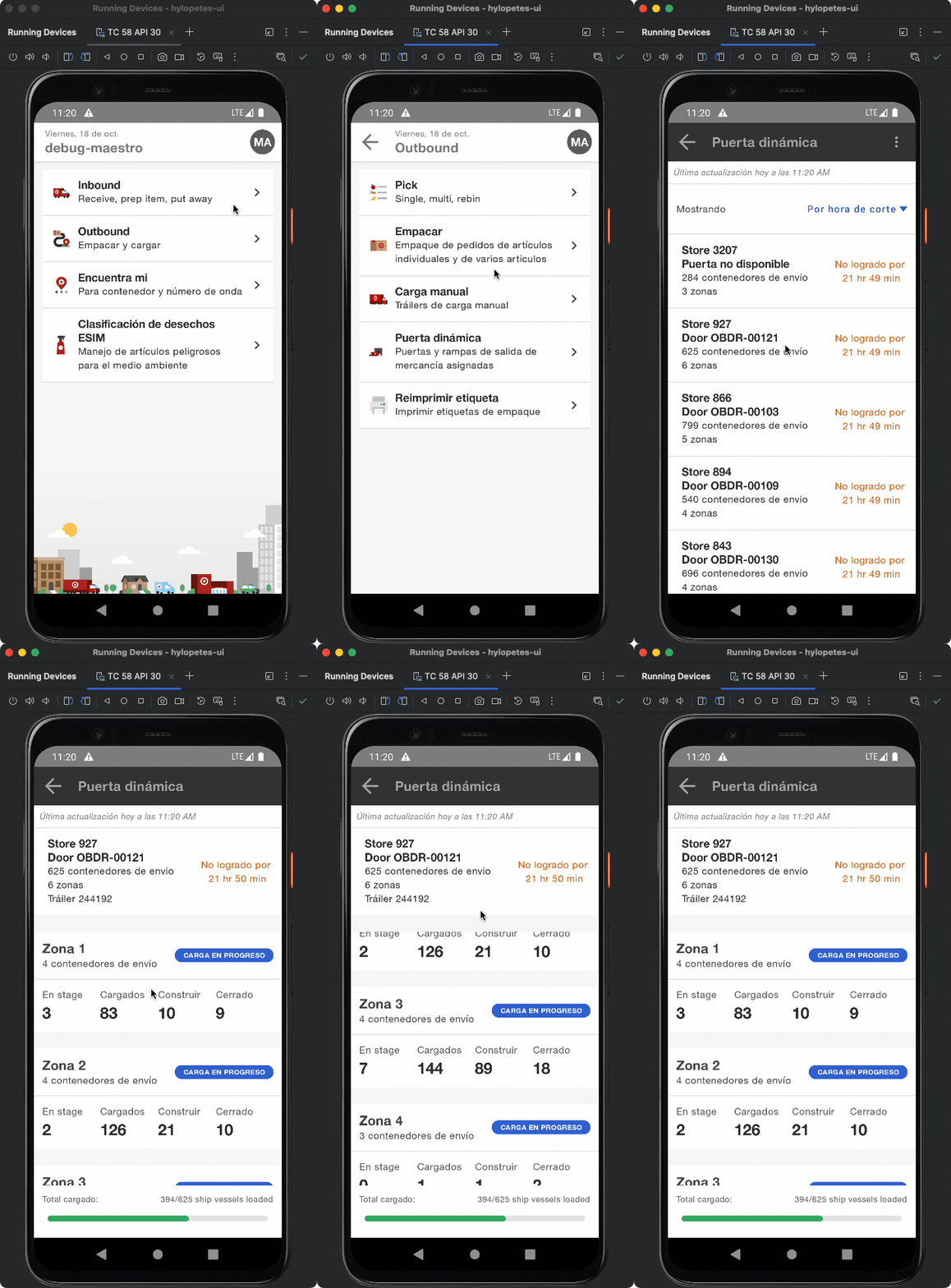
The team and I designed the experience to clearly surface loading details, time constraints, and dynamic, card-based views that update with real-time shipment information—supporting faster decision-making on the floor. We also translated this flow into Spanish for our Spanish-speaking team members.
This was a collaborative side project led by designers across the Supply Chain team. During on-site warehouse visits, each designer explored different processes and operational areas through interviews, observation, and hands-on documentation.
We synthesized our findings into a comprehensive service blueprint that mapped the end-to-end flow of products through the warehouse, including handoffs, tools and software in use, and key pain points.
The blueprint was presented to leadership and the broader design organization to increase visibility into Supply Chain operations and to serve as a shared learning resource for designers new to the space.

Service blueprint
maestro graphics update
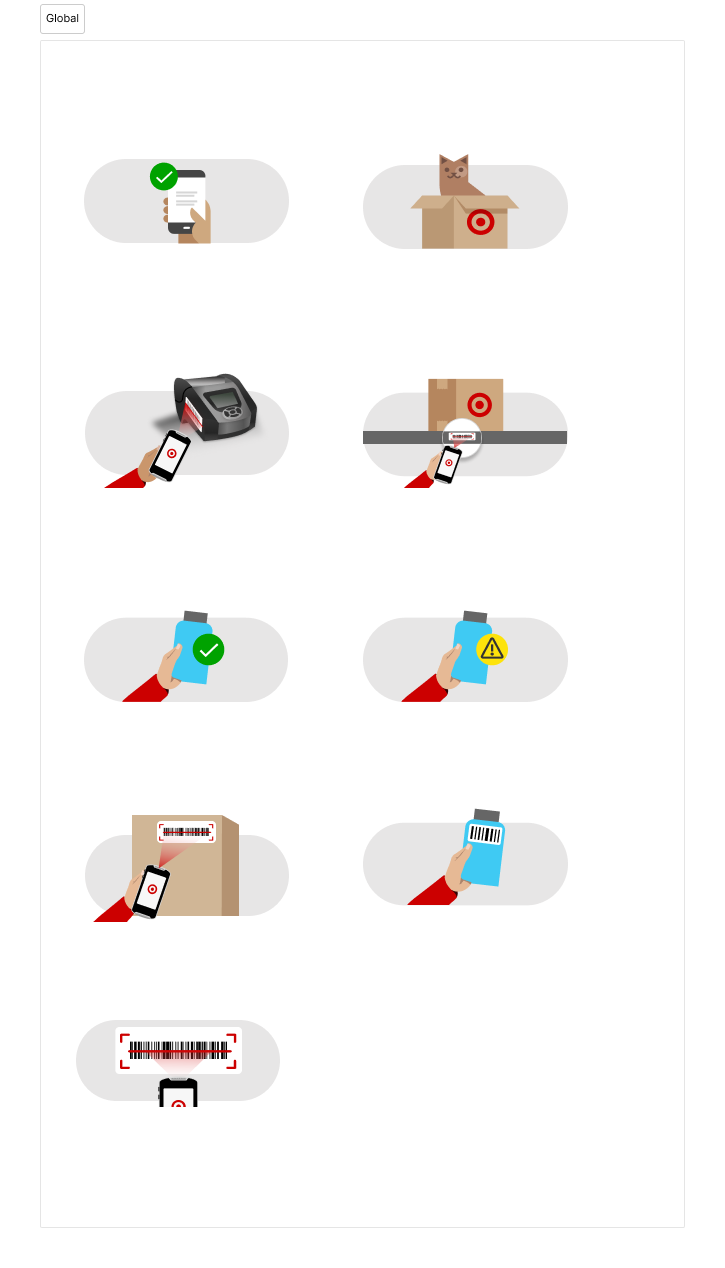
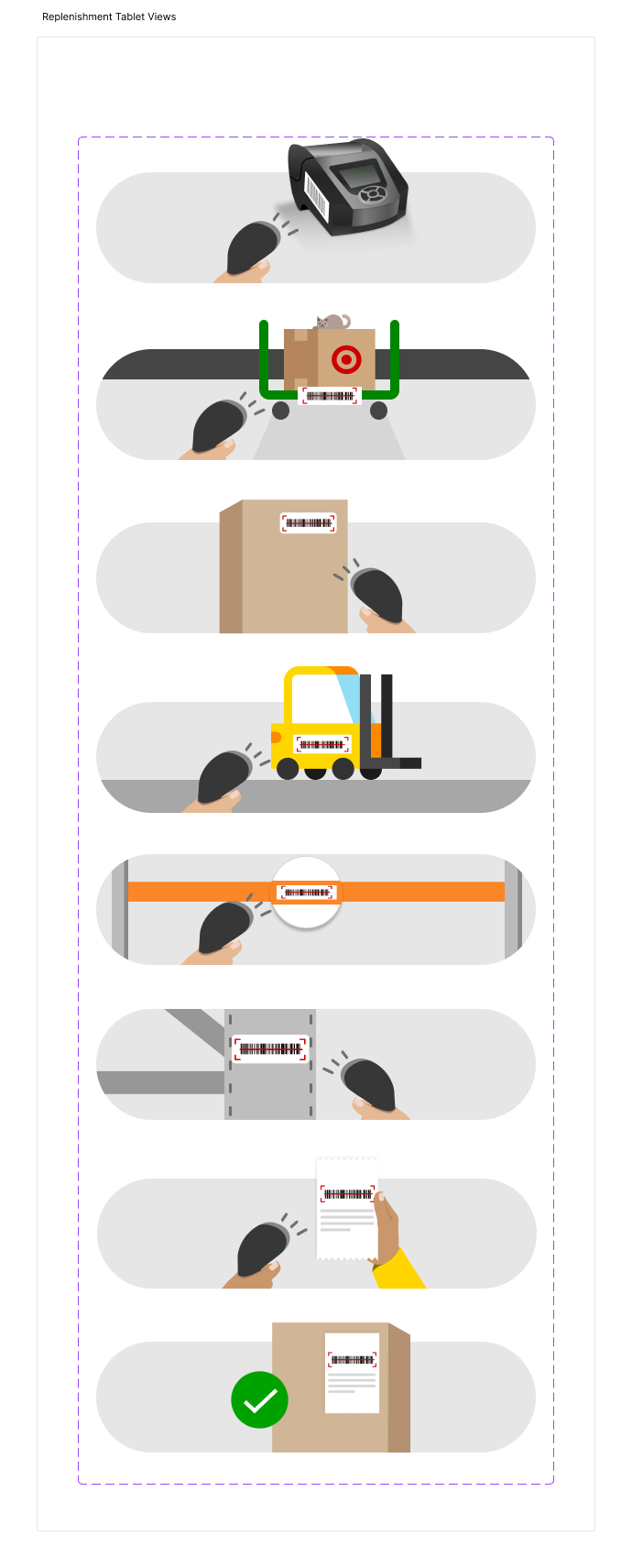
This was a side project I initiated and led to update and replace existing Maestro graphics so they better reflected the Supply Chain environment. The graphics in use at the time were largely adapted from MyDay and designed for Store workflows, which often required Supply Chain designers to manually modify them to fit Middle Mile use cases.
To address this, I proposed and created a set of global graphics designed specifically for Maestro, establishing visual consistency across Supply Chain experiences. The graphics were intentionally designed and sized to work seamlessly across both handheld devices and tablets.